 LINKINFO
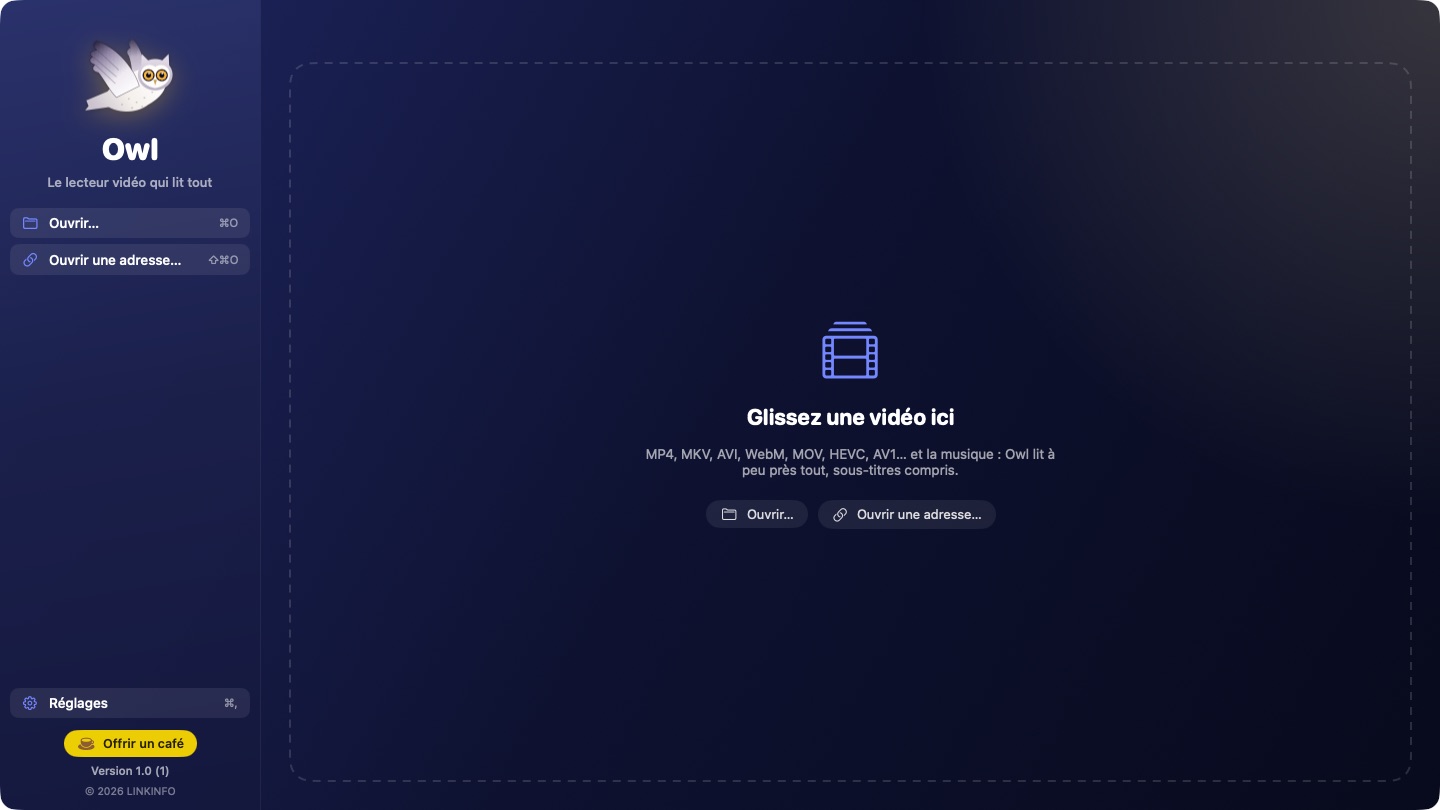
Owl opens the videos QuickTime won't: MKV, AVI, WebM, WMV, FLV, in HEVC, AV1, VP9 or MPEG-2, with their AC-3, DTS or TrueHD sound and their subtitles. It is built on mpv and FFmpeg, the most complete playback engines around, with the Mac's hardware decoding to save battery. Owl remembers where you are in every video and offers it as soon as you open the app. It is free, with no ads and no account.
What Owl does
It plays everything
No more “unsupported format”: Owl opens just about every video and all your music.
- Containers: MKV, MP4, MOV, AVI, WebM, WMV, FLV, TS, M2TS, MPG, VOB, 3GP, OGV…
- Video: HEVC (H.265), H.264, AV1, VP9, VP8, MPEG-2, MPEG-4, ProRes, DivX, Xvid, WMV…
- Audio: AAC, AC-3, E-AC-3, DTS, TrueHD, FLAC, Opus, Vorbis, MP3, ALAC, WMA… and music on its own, with the owl on screen.
- Hardware decoding (VideoToolbox): 4K and HEVC without heating up your Mac.
- Network streams: https:// addresses, HLS (.m3u8) and RTSP; .m3u and .pls playlists.
Subtitles
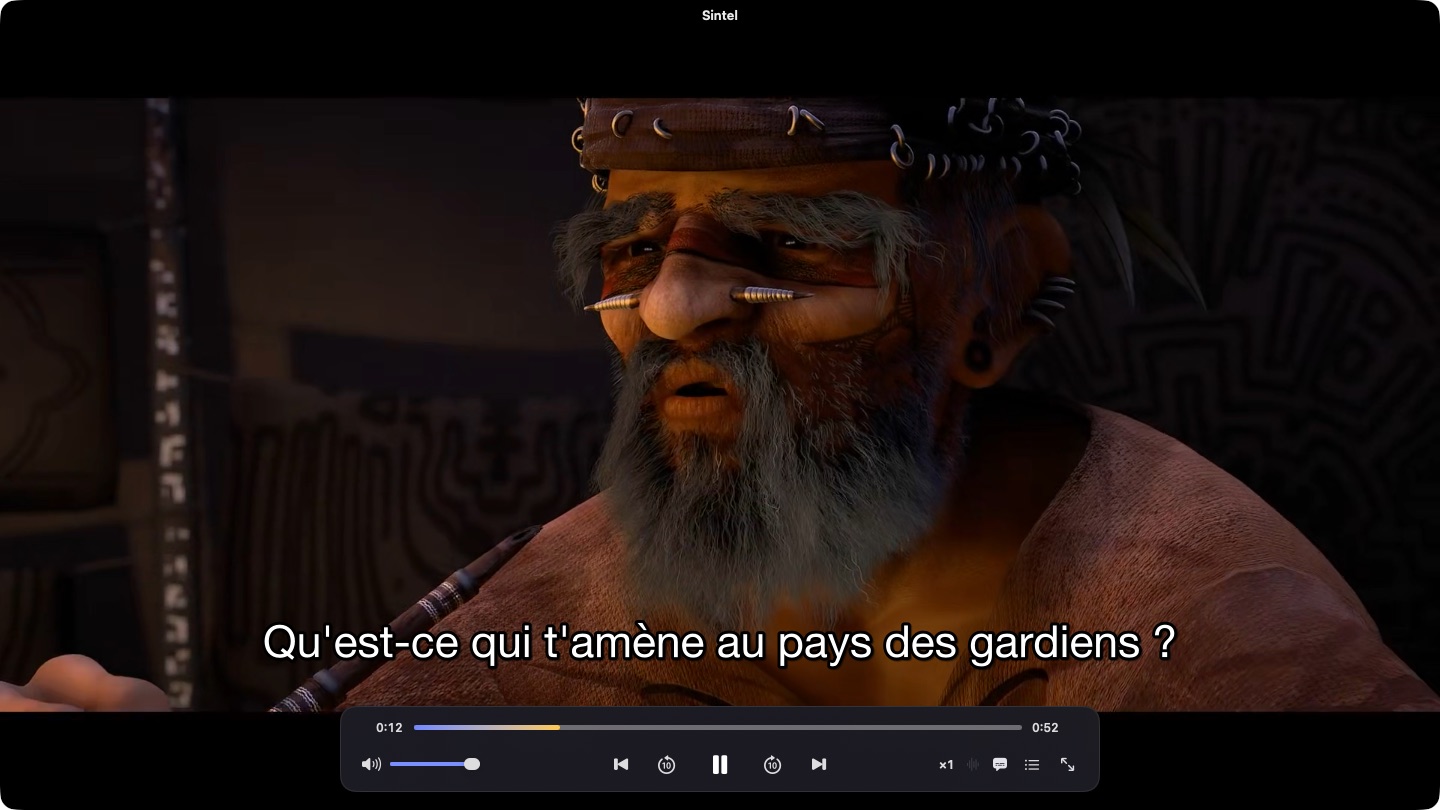
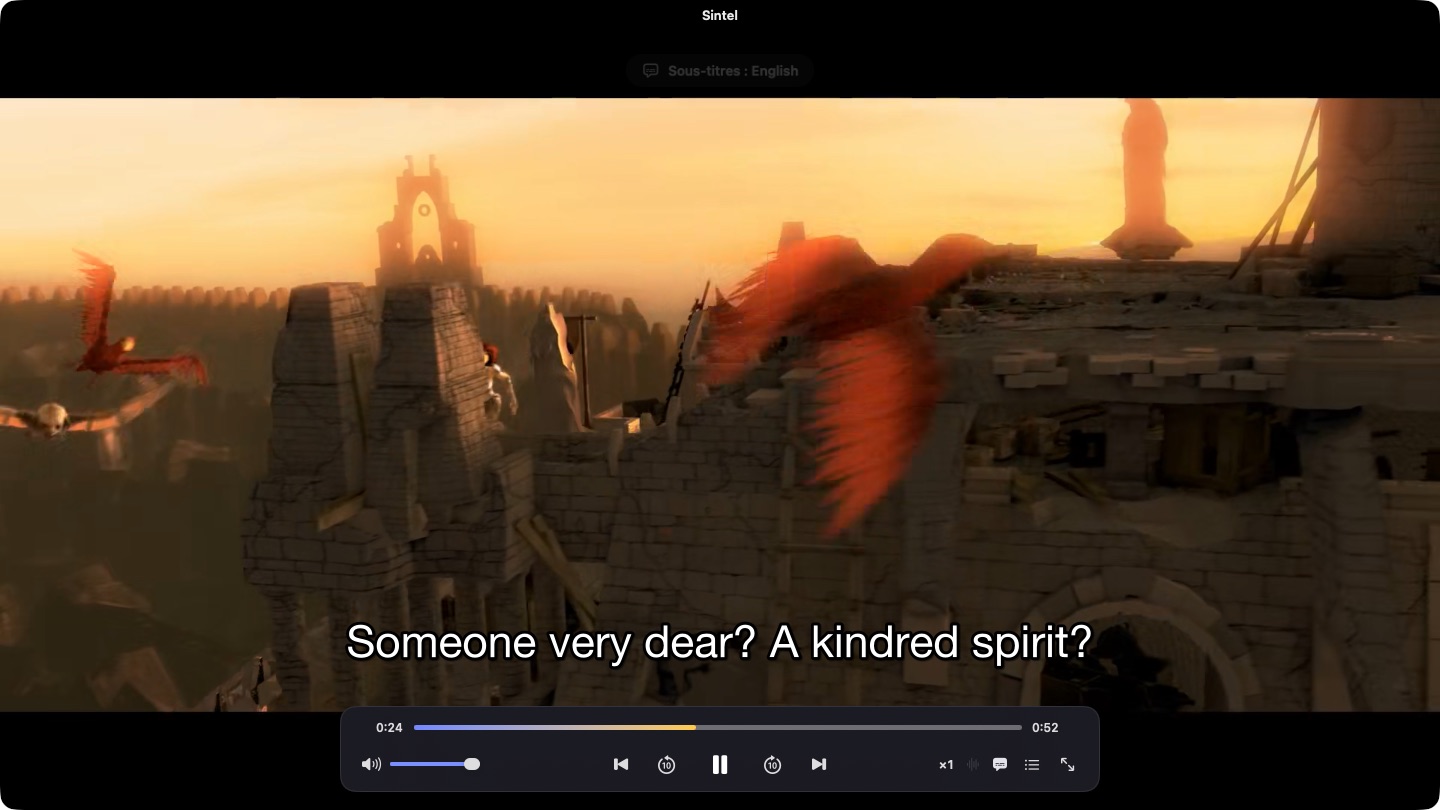
Subtitles show up on their own, in your language, and adjust from the keyboard.
- SRT, ASS/SSA (with their styles), WebVTT, Blu-ray VobSub and PGS, inside the file or next to it.
- A subtitle file sitting next to the video loads automatically; any other one can be dropped onto the window.
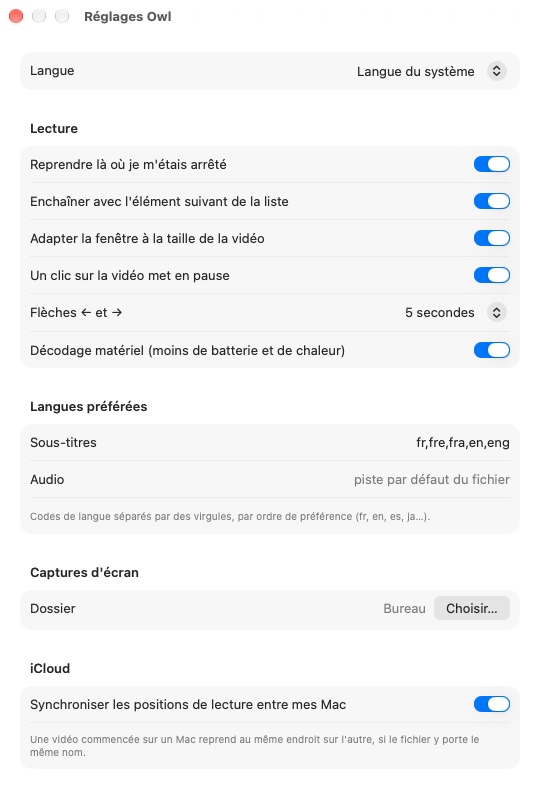
- Your preferred language is picked for you, and file encodings are detected automatically.
- Delay to a tenth of a second (Z and X), adjustable size, lifted above the controls when they show.
Pick up where you left off
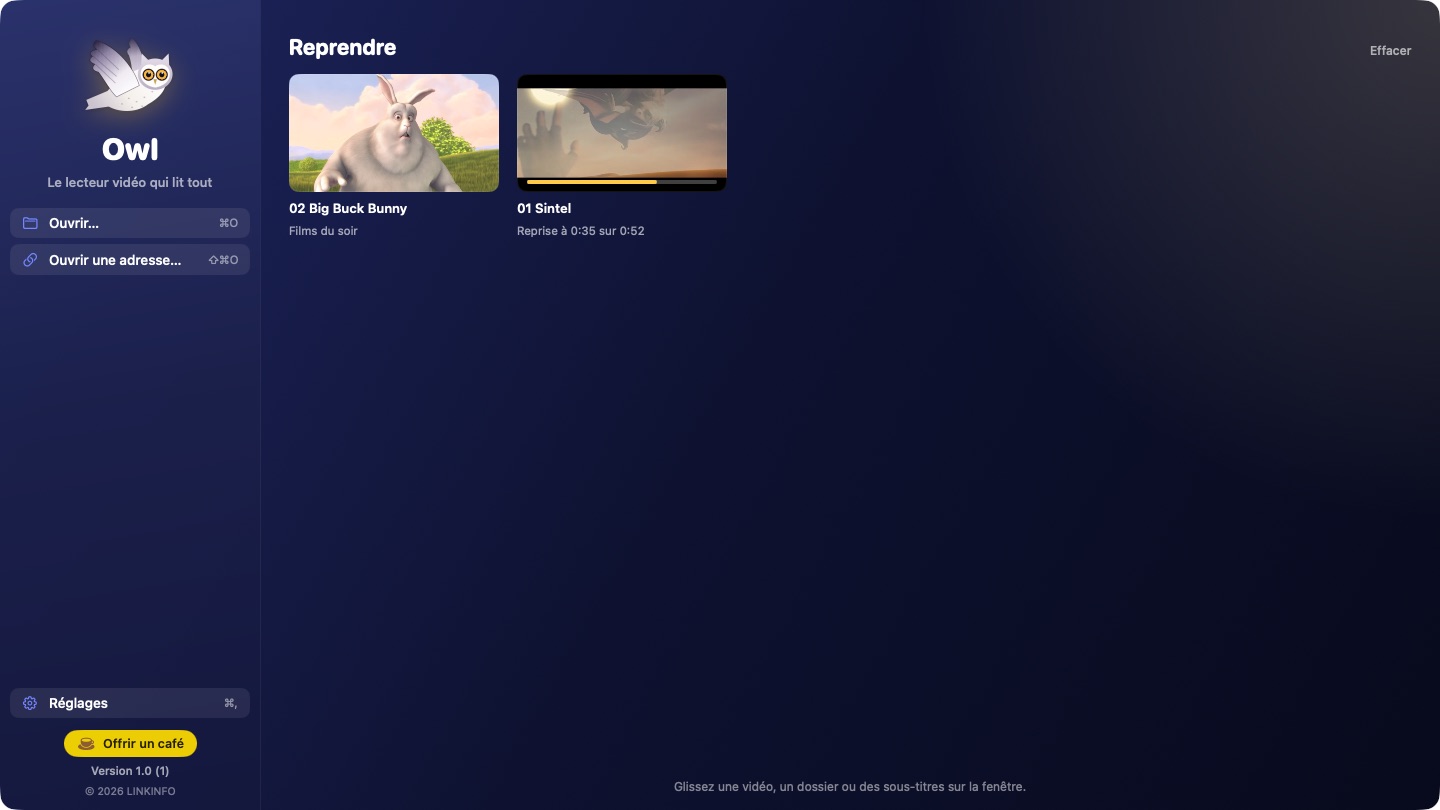
Owl remembers every video you started.
- Automatic resume at the right second, with a “Start Over” button if you prefer.
- “Continue Watching” home: your latest videos with a thumbnail of the frame where you stopped and their progress.
- Synced with iCloud: a film started on the iMac resumes at the same spot on the MacBook.
- Videos watched to the end start from the beginning next time.
Pleasant to watch
A clean window that steps aside for the picture.
- Floating controls that fade away during playback, full screen with a double-click or F.
- Keyboard: space, arrows to skip forward or back, ↑↓ for volume, frame by frame, chapters.
- Speed from ×0.25 to ×4 without changing the pitch of voices, audio tracks of your choice, aspect ratio, rotation, deinterlacing.
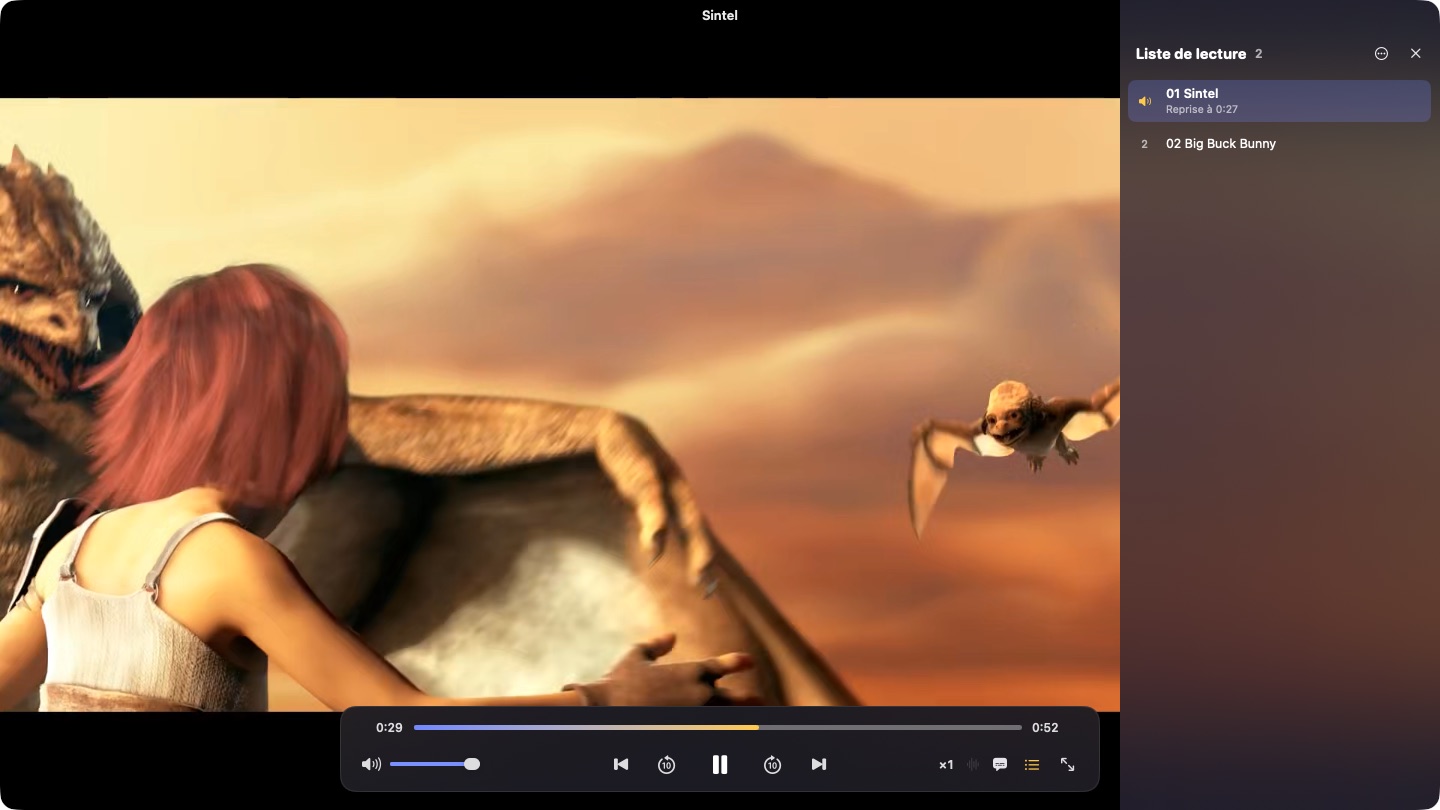
- Playlist: a whole folder at once, automatic chaining, shuffle, repeat.
- Screenshots in PNG, float on top window.
At home on the Mac
Owl behaves like a Mac app, not a port.
- Keyboard and AirPods media keys, Control Center (Now Playing) and the playback widget.
- Your Mac doesn't go to sleep during a film.
- Default player for videos and music in one click, instead of QuickTime.
- Native on Apple silicon and Intel; automatic updates from within the app.
In pictures

A coffee for what's next
Owl is free, ad-free, and will stay that way. I develop it in my spare time: every coffee helps fund the next versions, fixes and new features, and tells me the app is useful to you.
Installation
- Download the .zip fileIt unzips on its own in the Downloads folder.
- Drag Owl to ApplicationsIn the Finder, into your Mac's Applications folder.
- Open OwlThe app is signed and notarized by Apple: it opens without a warning.
Requirements
- Free, with no ads and no account.
- Available in English, French and Spanish: the app follows your Mac's language, or the one chosen in its settings.
- macOS 14 Sonoma or later, on a Mac with Apple silicon or Intel.
- Playback by mpv and FFmpeg, free software under the LGPL, built into the app: nothing else to install.


